
Turn a batch of images into one page each
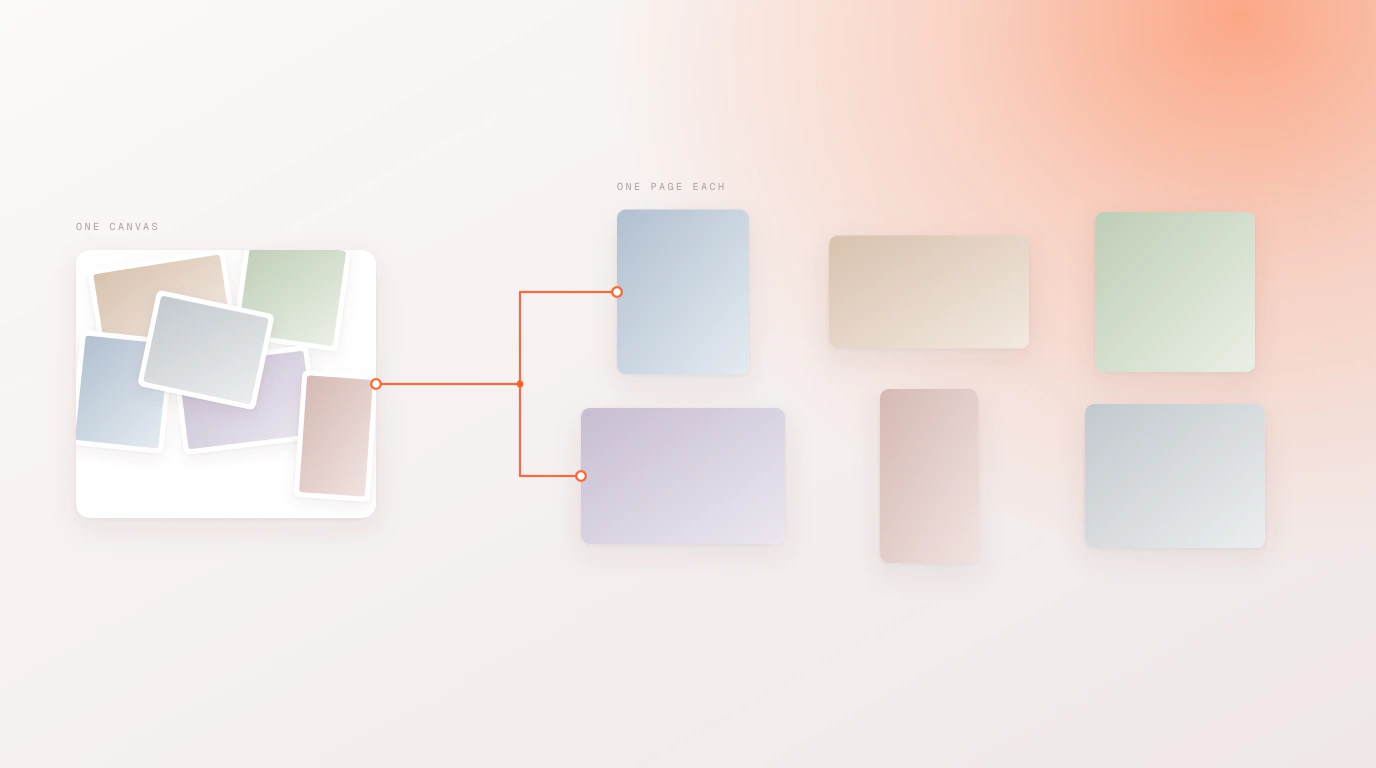
Import a folder of images into Adobe Express and they land in a pile on a single canvas, stacked on top of each other and all the wrong size. This gives each image its own page, sized to that image.
How it works
Select your images
Any batch of PNG or JPG files. They do not need to share a size or an aspect ratio.
Each becomes a page
One page per image, in the order you selected them — nothing stacked, nothing overlapping.
Sized to the image
Every page takes the dimensions of the image it holds, so a portrait shot does not sit letterboxed inside a square.
Why this exists
Express imports a multi-image selection onto one canvas. For a contact sheet that is fine. For a lookbook, a headshot set or a product catalogue it is not — you want each image to be its own page, at its own size, ready to lay out or export individually.
Doing that by hand means adding a page, setting its size, placing one image, and repeating. For eighteen images that is eighteen rounds of the same four steps. This does it in one pass.
If your images are named to match rows in a spreadsheet, you probably want the data-driven side of the add-on instead, which maps images to designs by filename.
Questions people ask
Why do my images all land on one page in Adobe Express?
That is how Express handles a multi-image import — the selection is placed onto the current canvas rather than split across pages, so the images stack on top of each other at the canvas size rather than their own.
Does each page match the size of its image?
Yes. Every page takes the dimensions of the image it holds, so a mixed set of portrait, landscape and square images produces pages of matching shapes rather than one shape with everything letterboxed inside it.
What file types can I use?
PNG and JPG, the same two formats the rest of the add-on accepts.
Is there a limit on how many images?
An Adobe Express document holds up to 250 pages, so that is the practical ceiling for a single run. Larger sets split across more than one document.