
Page numbers and footers for Adobe Express
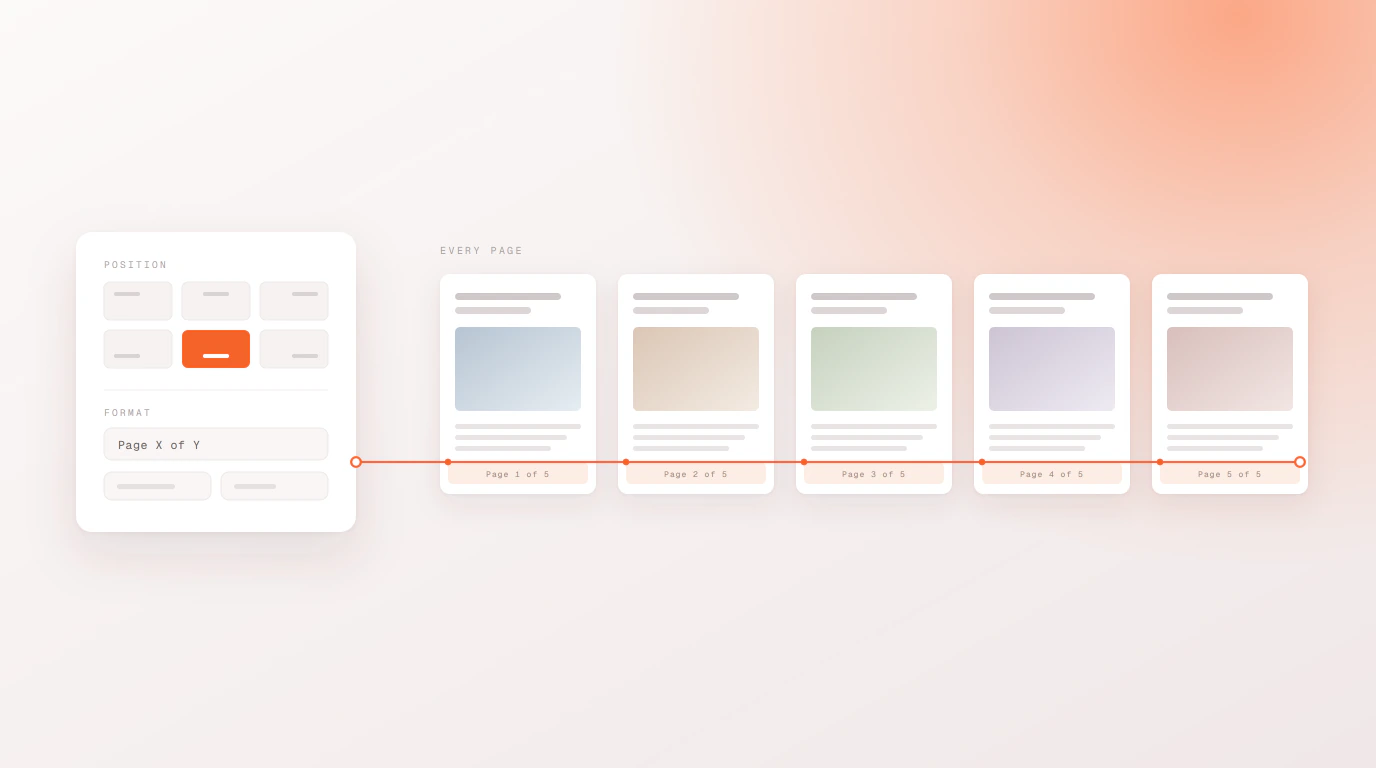
Adobe Express has never had document-wide page numbering. Bulk Designer adds it: set the position and format once and it applies across every page, with a live preview on the canvas as you change it.
How it works
Pick a position
Any of the four corners, or centred top or bottom. The numbering sits in the same place on every page.
Choose a format
Use Page {n}, {n} of {total}, or write your own structure with a prefix and suffix.
Set where it starts
Skip the cover by starting on page two, and set the first number independently of the page it lands on.
What you can control
- Position and alignment. Top-left, top-right, bottom-left, bottom-right, or centred.
- Format templates.
Page {n},{n} of {total}, or custom text with your own prefix and suffix. - Start logic. Choose which page numbering begins on and what number it begins at — the two are independent, so a cover page can be skipped without shifting the count.
- Colour and type. Pick the colour to match your brand; sizing scales with the configuration.
- Live preview. Changes render on the Express canvas as you make them, and preview nodes clean themselves up.
This is one of two tools that are free and need no dataset at all. The other turns a folder of images into pages — see image to pages.
Questions people ask
Can you add page numbers in Adobe Express?
Not on its own — Express has no document-wide page numbering. Bulk Designer adds it as a free tool inside Express: choose a position and a format, and it applies across every page of the document.
Can I skip the cover page?
Yes. You choose which page the numbering starts on and what number it starts at, and the two are set separately — so a cover page can carry no number while the page after it still reads as page one.
Can I use my own text rather than just a number?
Yes. Alongside the Page {n} and {n} of {total} templates you can write your own structure with a prefix and a suffix, which is how most people add a document title or a copyright line as a footer.
Does this cost anything?
No. Page numbers and footers are free to use with no licence and no account. The paid Teams plan covers multi-size campaigns, the AI features and team workspaces — none of which this tool needs.