
Your own private build of Bulk Designer
The same engine, deployed only for you — running on your infrastructure, reading your data sources, shaped around your workflow, and distributed to your team without ever appearing on the public add-on marketplace.
How an engagement runs
Scope the build
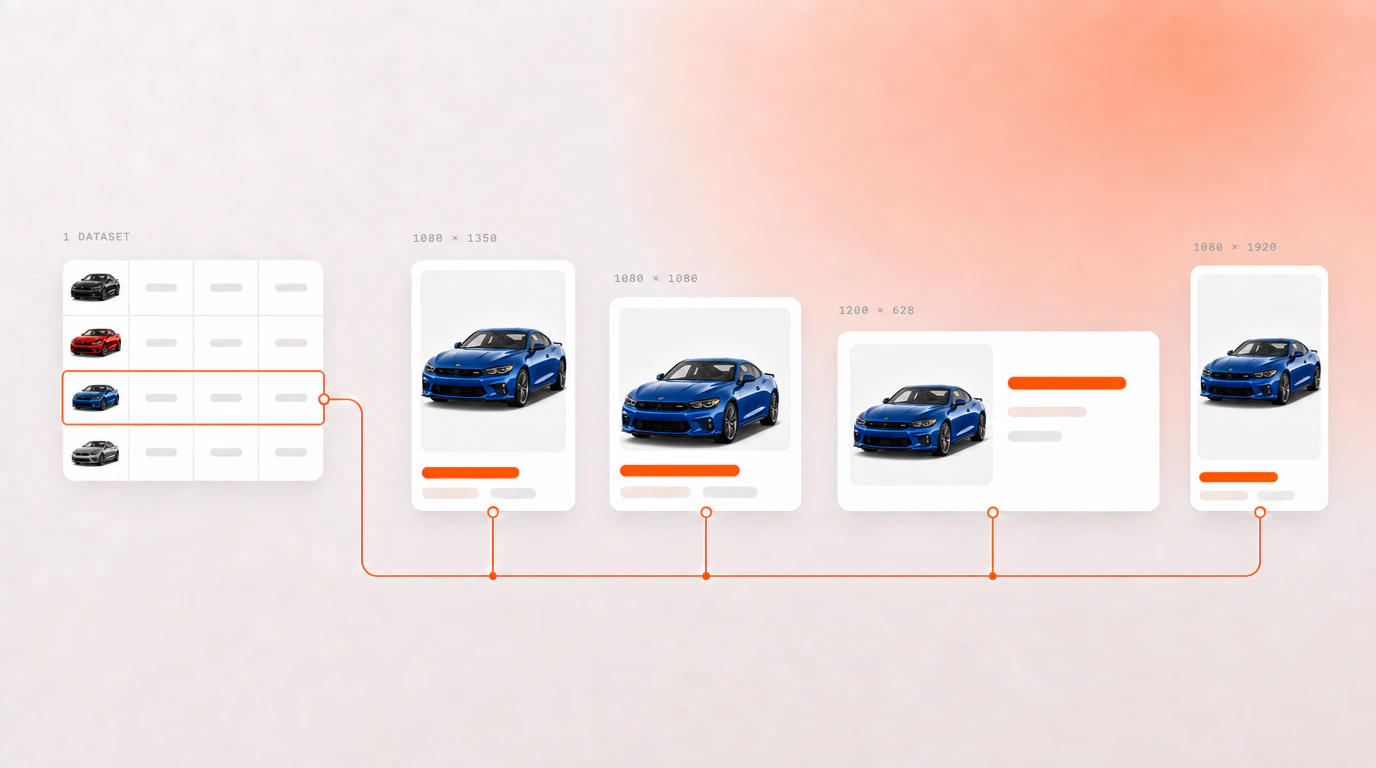
What data it reads, which steps your team needs, what it is called and how it looks. The parts that stay are the engine — data-driven generation, multi-size output, batch image editing.
We build and deploy privately
Your instance, your database, your backend. Distributed by private link or as an internal listing in your own Adobe Express tenancy, so it is never on the public marketplace.
It stays yours
Your data never touches shared infrastructure, your assets stay in storage you control, and the instance is maintained against your requirements rather than a shared roadmap.
What a private build changes
Adobe supports this directly. An add-on can be distributed by private link to named users, or published as an internal listing inside your own enterprise Adobe Express tenancy — never appearing on the public marketplace. Your build is deployed that way.
| Teams plan | A private build |
|---|---|
| The public marketplace listing | Private link, or your own internal listing |
| Shared infrastructure | Your own database and backend |
| Spreadsheets and cloud storage | Your PIM, DAM, warehouse or internal API as the data source |
| The workflow as we designed it | Steps shaped around how your team actually works |
| Bulk Designer branding | Your name on it |
Why this exists
Some things a shared product cannot do, however many settings it grows. It cannot read the product information system your catalogue actually lives in. It cannot run on infrastructure your security team controls. It cannot carry your name in front of your clients, or install without appearing on a public marketplace alongside everything else.
Those are the reasons teams ask for a build of their own, and each of them is a change to what the add-on connects to rather than to how it generates designs. The engine is the part that stays.
Who this is for
- Agencies producing campaign volume for clients, where the tooling is part of the offer
- Brands whose product data lives in a PIM or warehouse rather than a spreadsheet
- Organisations whose assets cannot sit on infrastructure they do not control
This is a service engagement, not a plan you can sign up for — scope, timeline and price are worked out per build. The Teams plan is the right answer for most teams; this is for the ones it does not fit.
Questions people ask
What does a white-label build of Bulk Designer include?
A private instance of the add-on running on your own database and backend, under your own name, with the data sources and workflow steps your team needs. The generation engine is the same one behind the public product; what changes is what it connects to, what it is called, and who can install it.
How is a private add-on distributed to our team?
Adobe supports two routes and both avoid the public marketplace. An add-on can be shared by private link with named users, or published as an internal listing inside your own enterprise Adobe Express tenancy, where your administrators control who can install it.
Can it read our own data instead of a spreadsheet?
That is usually the reason for a custom build. Instead of a CSV or a connected sheet, the add-on can read a product information system, a digital asset manager, a data warehouse or an internal API, so a run pulls live records rather than an export somebody remembered to make.
What does a private build cost?
There is no list price, because no two builds are the same piece of work. What drives it is what the add-on has to connect to, how much of the workflow changes and how it is deployed. Send the enquiry form with a description of your workflow and you get a scoped proposal back rather than a number pulled from a range.